

Advanced bookmark manager that organizes, syncs, and validates URLs across multiple browsers effortlessly
Advanced bookmark manager that organizes, syncs, and validates URLs across multiple browsers effortlessly
Vote (1 votes)
Program license Trial version
Developer Resortlabs
Version 4.2
Works under Windows
Vote
(1 votes)
Developer
Resortlabs
Works under
Windows
Program license
Trial version
Version
4.2
Pros
- Independent bookmark management across multiple browsers
- Efficient two-panel interface for dual collection handling
- Robust duplicate and dead link checking
- Password protection for enhanced security
- Flexible import/export and synchronization options
- Clipboard monitoring and built-in browser for quick operations
Cons
- Classic interface may feel outdated to some users
- Feature set may be excessive for users with minimal bookmark needs
- Learning curve for advanced functions
Multi-browser bookmark manager for organizing and syncing web links.
Overview
Link Commander is a bookmark management application designed for users who want more control over their collections across different browsers and devices. The software offers a user-friendly interface intended to streamline how bookmarks are created, organized, and synchronized, regardless of the browser in use.
Interface and Usability
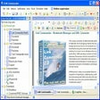
Link Commander features a classic two-panel layout, which allows users to manage and compare two separate bookmark collections simultaneously. This design makes organizing large numbers of bookmarks more efficient, as users can drag and drop links or folders between collections, making it ideal for those migrating data between browsers or computers.
The interface strikes a balance between functionality and accessibility, providing comprehensive options without overwhelming the user. An incremental search bar is available, enabling quick retrieval of bookmarks by keyword or URL, a helpful feature for users with extensive link libraries.
Compatibility and Portability
One of the software’s strengths is its browser-independence. Link Commander is compatible with major browsers such as Internet Explorer, Firefox, Opera, and others. Bookmarks can be imported from and exported to browser-specific formats and standard HTML files, catering to users who frequently switch between browsers. It also supports portable storage, allowing users to move their collections between devices effortlessly.
Bookmark Management Features
Link Commander comes equipped with advanced tools for maintaining clean and up-to-date bookmark collections. Users can check for duplicate links, verify the availability of web addresses, and retrieve updated link descriptions directly from source web pages. This reduces clutter and ensures that saved bookmarks remain functional and relevant.
For added convenience, the software can monitor the system clipboard for web addresses, making it easy to add new links with minimal effort. Bookmark collections can be synchronized with existing browser favorites or specific folders, keeping all sources aligned and current.
Security and Sharing
To protect sensitive information, Link Commander allows password protection for individual folders or entire bookmark collections. Sharing is simplified through a built-in feature that enables users to send bookmark collections via email, making collaboration and backup straightforward.
Integrated Browsing
An additional feature is Link Commander’s built-in multi-page browser. This allows users to preview and verify bookmarks directly within the application, speeding up the validation and management process without requiring external browsers.
Performance
Performance is smooth on a variety of system configurations. The application efficiently handles large bookmark collections without noticeable slowdowns, even when performing resource-intensive tasks like link validation or bulk importing.
Pros
- Independent bookmark management across multiple browsers
- Efficient two-panel interface for dual collection handling
- Robust duplicate and dead link checking
- Password protection for enhanced security
- Flexible import/export and synchronization options
- Clipboard monitoring and built-in browser for quick operations
Cons
- Classic interface may feel outdated to some users
- Feature set may be excessive for users with minimal bookmark needs
- Learning curve for advanced functions


